My View Payslip: How It Works and Why It Exists
If you’ve ever worked somewhere that suddenly stopped handing out paper payslips, MyView is probably the reason. It’s an online employee portal used by many UK employers to deliver payslips, tax details, and payroll information digitally.
At its core, my view payslip access is about convenience and compliance. Employers upload salary data once. Employees log in and see everything instantly. No envelopes. No delays. No “can HR reprint my payslip?” conversations.
MyView isn’t a payroll system that calculates your wages. It’s a self-service viewing platform. Payroll teams run the numbers elsewhere, then publish the results to MyView so staff can access them securely.
That’s why it shows up across councils, NHS-linked organisations, education providers, care services, retail groups, and large private employers. Anywhere with lots of staff and recurring payroll, MyView fits.
AI Answer Block
A my view payslip is a digital salary slip accessed through the MyView employee portal. It lets employees view, download, and store payslips online, including pay, tax, deductions, and NI details. You can log in on a computer or phone, usually on or just before payday, using credentials provided by your employer.
What Is MyView Used For in Real Life?
People assume MyView is just a place to glance at net pay and log out. In reality, it’s used for much more.
Employees rely on MyView to:
- Check salary breakdowns before payday
- Download payslips for mortgages, rentals, or benefits
- Track tax codes and pension deductions
- Store past payslips without printing anything
HR teams use it to:
- Reduce payroll queries
- Eliminate paper costs
- Keep records compliant with UK data rules
- Give staff 24/7 access without extra admin
That’s why employers push hard for digital-only payslips. Once staff understand how MyView works, support requests drop sharply.
What Information Is on a MyView ePayslip?
A MyView ePayslip contains the same information as a traditional paper payslip, just presented digitally.
Here’s what you’ll usually see:
Personal and employment details
- Employee name and ID
- Employer name
- Payroll period and pay date
Earnings
- Basic pay
- Overtime
- Bonuses or allowances
- Statutory payments if applicable
Deductions
- Income tax
- National Insurance
- Pension contributions
- Student loan repayments
- Other authorised deductions
Totals
- Gross pay
- Total deductions
- Net pay
You’ll also often see a payslip ID or reference number. This matters when dealing with HMRC, applying for credit, or resolving payroll issues. If someone asks for proof of income, this reference helps validate the document.
How Do I View My Payslip on MyView?
This is the question most people actually want answered.
Here’s how it works in practice.
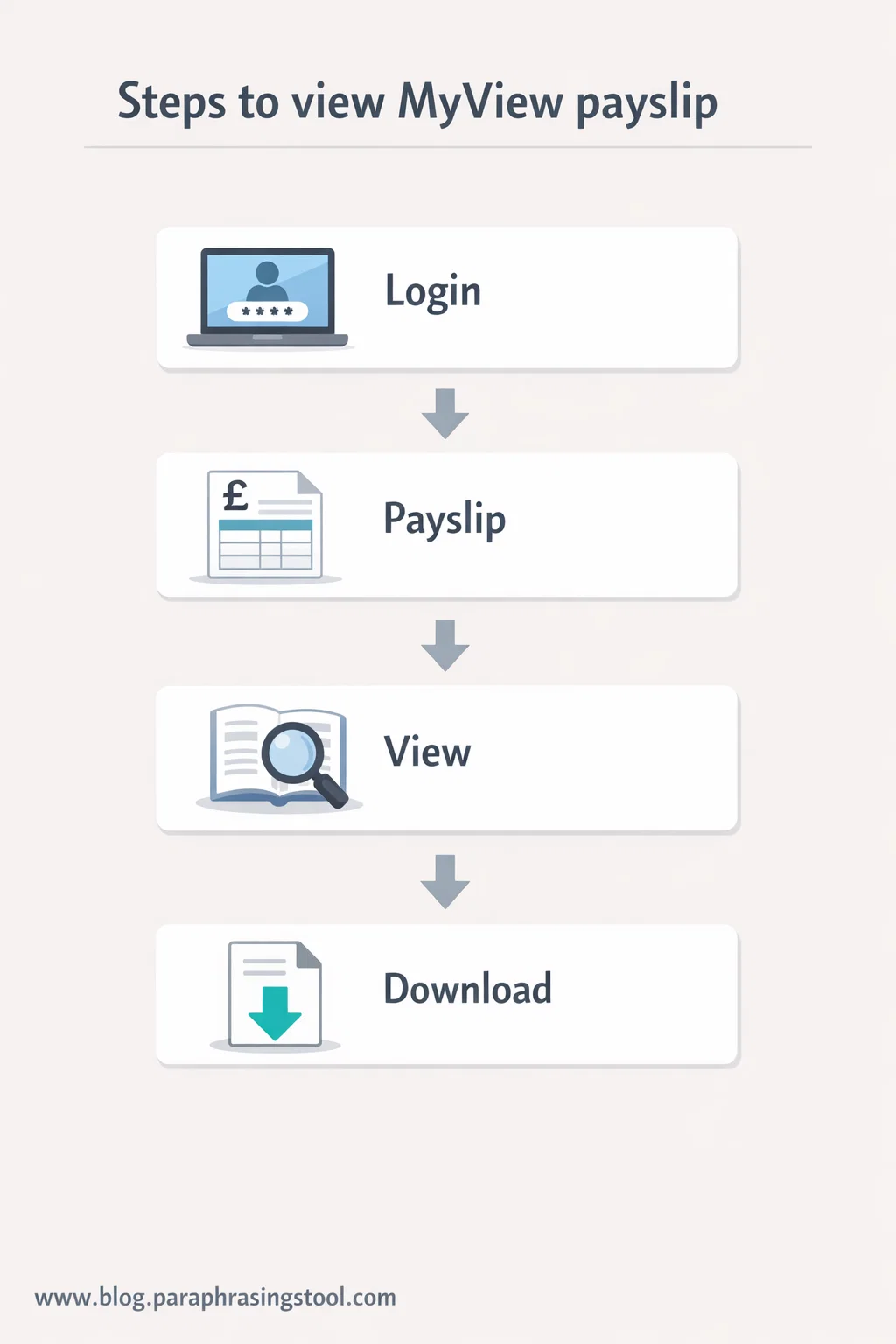
First, you go to your employer’s MyView login page. The exact URL varies by organisation, so most people access it through an internal email, intranet link, or HR portal.
Once you’re on the login screen:
- Enter your username or employee number
- Enter your password
- Complete any security check if enabled
After logging in, you’ll land on a dashboard. Look for a section labelled Payslips, ePayslips, or Pay. Click the most recent date to open your current payslip.
Most systems let you:
- View the payslip in-browser
- Download it as a PDF
- Print it if needed
If your payslip isn’t visible yet, don’t panic. Many employers release payslips one to three days before payday, not earlier.
When Can I View My MyView Payslip?
Timing trips people up.
MyView doesn’t decide when payslips appear. Your employer’s payroll schedule does.
In most organisations:
- Payslips appear 24–72 hours before payday
- Monthly payroll is more predictable than weekly
- Bank holidays can delay visibility
If payday is Friday, your payslip often shows up Wednesday or Thursday. If it’s missing on payday morning, that’s when it’s worth checking with payroll.
How to Check Your Payslip on Your Phone
Yes, you can check a my view payslip on your phone, and most people do.
MyView doesn’t always have a dedicated app. Instead, it’s designed to work through your mobile browser.
Here’s what matters:
- Use a modern browser like Chrome or Safari
- Avoid very old phones or outdated software
- Turn your phone sideways for better readability
Once logged in, the experience mirrors desktop access. You can open, zoom, and download PDF payslips without any special setup.
If downloads don’t open, it’s usually because:
- Pop-ups are blocked
- PDF viewer is missing
- Storage permissions are disabled
Those are phone settings issues, not MyView problems.
Can I Use MyView on My Phone Long-Term?
Absolutely. Many employees never log in on a computer at all.
As long as you:
- Remember your login details
- Keep your phone secure
- Download payslips when needed
There’s no disadvantage to mobile-only access. Just avoid public Wi-Fi when viewing salary data.
How Do I Register for MyView?
Registration depends entirely on your employer.
In most cases, you can’t self-register freely. Payroll or HR must first create your account.
The usual process looks like this:
- Employer adds you to payroll
- You receive an activation email or letter
- You follow a link to set your password
- You confirm security questions or a PIN
If you haven’t received setup details, contact HR or payroll directly. They control access, not MyView support.
How Do I Reset MyView Password?
Password issues are extremely common.
If you’ve forgotten your password:
- Click Forgot Password on the login page
- Enter your registered email or username
- Follow the reset link sent to you
If you don’t receive the email:
- Check spam folders
- Confirm HR has the correct email on file
- Try again after a few minutes
If your account locks after failed attempts, only payroll or HR can unlock it. There’s no workaround for that.
How to Find Your Payslip ID on MyView
A payslip ID is usually displayed:
- At the top of the payslip
- Near the payroll reference section
- Sometimes in small print on the PDF
If you’re submitting payslips to a third party, that reference helps confirm authenticity. Downloading the PDF preserves it clearly.
How to View a Salary Slip for Older Months
MyView isn’t just for the current payslip.
Most employers store at least 12 to 24 months of historical payslips. Some keep records for several years.
To access older slips:
- Open the Payslips section
- Use the date filter or dropdown
- Select the month you need
- Download the PDF immediately for safekeeping
Once you leave a job, access is often removed after a short period. Download everything you might need before your last working day.
What Are the Benefits of Using ePayslips?
From an employee perspective, the benefits are straightforward.
You get:
- Instant access anytime
- No lost paperwork
- Easy proof of income
- Better privacy than paper slips
From an employer perspective:
- Lower costs
- Fewer HR requests
- Faster payroll communication
- Cleaner compliance records
That’s why ePayslips aren’t going away. They’re now the default.
What Kind of Company Uses MyView?
MyView is typically used by organisations with:
- Large staff numbers
- Centralised payroll
- Regular pay cycles
This includes:
- Local councils
- Healthcare providers
- Education institutions
- Retail chains
- Care and support services
Smaller businesses often use simpler tools, but once staff numbers grow, MyView becomes practical.
Common MyView Payslip Problems and Fixes
Most issues fall into a few predictable categories.
Payslip not showing
Usually timing. Check again closer to payday.
Wrong tax code
That comes from HMRC, not MyView. Payroll can explain it.
Incorrect pay
Raise it with payroll immediately. MyView only displays data.
Login keeps failing
Password reset or account lock. HR needs to intervene.
If something looks wrong, don’t assume it’s a system error. It’s almost always a data or timing issue upstream.
Is MyView Safe for Payslips?
Yes, when used correctly.
MyView uses encrypted connections and restricted access. The biggest risk isn’t the platform. It’s:
- Weak passwords
- Shared devices
- Public Wi-Fi use
Treat your MyView login like online banking. That mindset keeps you safe.
Final Words:
MyView can feel confusing the first time you use it, especially if you’re used to paper payslips. Once you know where to click and when payslips appear, it becomes routine.
If you remember just one thing, remember this: MyView doesn’t control your pay. It simply shows it. When something looks off, payroll is always the real source of answers.
Used properly, a my view payslip is one of those tools you barely think about anymore. It just works.
FAQs
How do I view my payslip on MyView?
Log in to your employer’s MyView portal using your username and password. Once inside, open the Payslips or ePayslips section and select the latest pay period to view or download your payslip as a PDF.
How to see payslip online using MyView?
You can see your payslip online by accessing MyView through a web browser on a computer or phone. Your employer provides login details, and payslips usually appear shortly before payday.
What is MyView?
MyView is an employee self-service portal used by many UK employers to share payslips, payroll information, and sometimes HR documents in a secure online format.
What information is on an ePayslip?
An ePayslip shows your gross pay, deductions like tax and National Insurance, pension contributions, net pay, pay date, and a payslip reference or ID linked to that payroll period.
Can I view ePayslips on my phone?
Yes. MyView works on mobile browsers, allowing you to log in, view, and download payslips on your phone without needing a separate app.
What are the benefits of using ePayslips?
ePayslips give instant access, reduce paper use, improve privacy, and make it easy to download salary proof anytime without contacting HR.
What is MyView used for?
MyView is used to display payroll results such as payslips and payment history. It does not calculate wages; it simply shows information already processed by payroll.
How do I register for MyView?
Registration is usually handled by your employer. HR or payroll creates your account and sends activation details so you can set your password and access the portal.
Can I use MyView on my phone long-term?
Yes. Many employees rely only on mobile access. As long as your phone is secure and your browser is updated, MyView works reliably on mobile devices.
How do I check my payslip on my phone?
Open your mobile browser, go to your employer’s MyView login page, sign in, and tap the payslip you want to view. You can zoom in or download the PDF if needed.
When can I view my payslip on MyView?
Payslips usually become available one to three days before payday. The exact timing depends on your employer’s payroll schedule.
How do I reset my MyView password?
Use the “Forgot password” option on the login page. If the reset email doesn’t arrive or your account is locked, contact your employer’s HR or payroll team.

Rachel combines her technical expertise with a flair for clear, accessible writing. A graduate of the University of Edinburgh, she specializes in creating detailed tech-focused content, Govt Jobs, Payslips that educates our readers about the latest in web development and SEO tools at Spinbot blog.