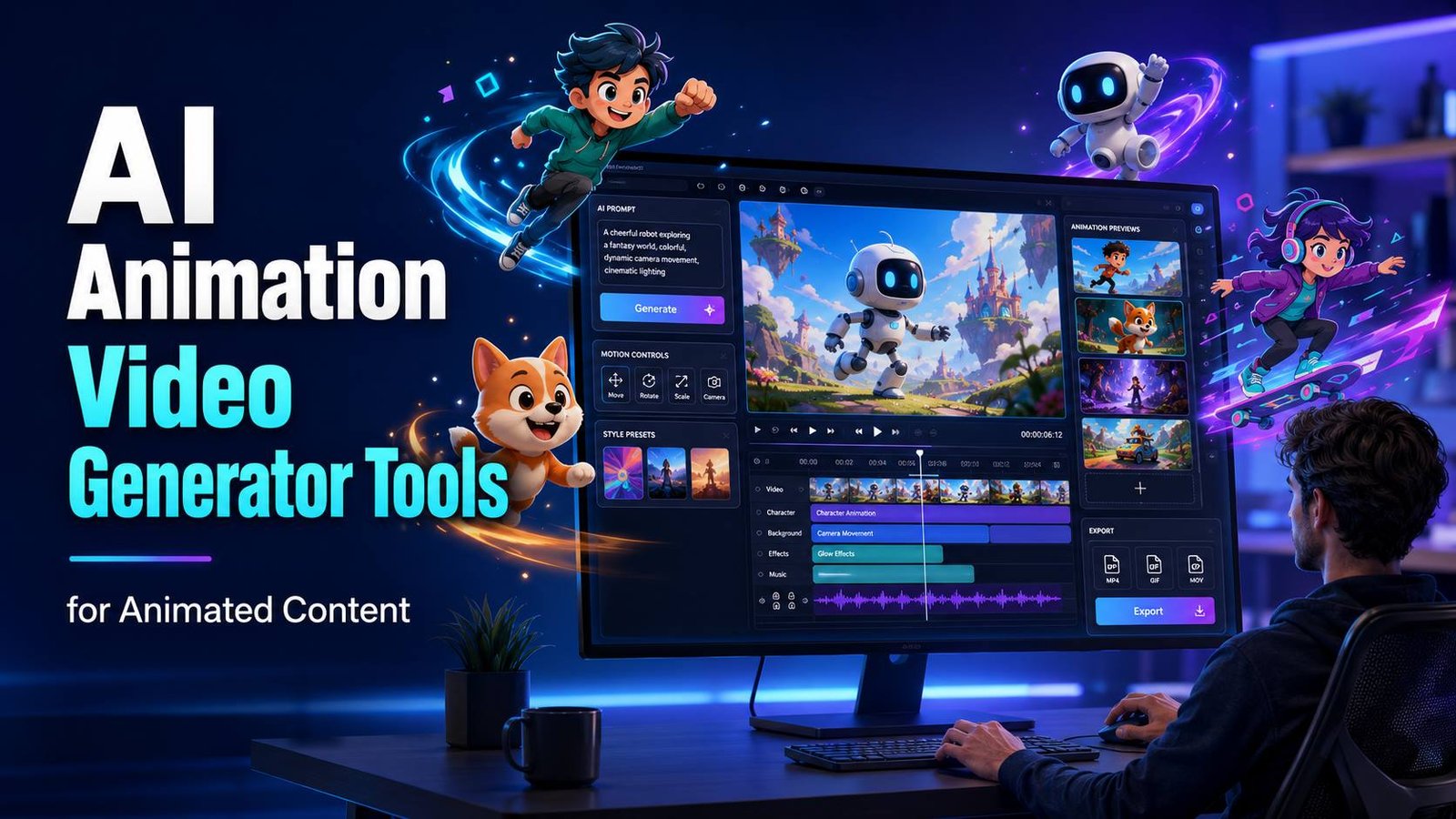
AI animation video generator tools for animated content use artificial intelligence to convert text, images, or voice into animated videos. Many platforms generate characters, lip-sync dialogue, camera movements, backgrounds, and subtitles automatically, making animation accessible even for beginners without design or editing experience.
Why Are AI Animation Tools Becoming So Popular?
Animation used to be one of the most expensive types of content to produce. Traditional workflows involved scriptwriters, illustrators, animators, voice actors, editors, and visual effects specialists. Even a short two-minute animation could take days or weeks to complete.
Artificial intelligence has completely changed that process.
Instead of manually drawing every movement, AI predicts animations, creates transitions, synchronises speech, and even designs characters from a written prompt. This allows creators to spend more time improving their ideas instead of learning complicated software.
Businesses are also embracing AI animation because video consistently performs better than text on most online platforms. Product explainers, training materials, advertisements, and social media clips can now be produced much faster and at a significantly lower cost.
The rapid growth of these tools has also opened opportunities for freelancers and small businesses. Someone with no previous animation experience can now create promotional videos, educational content, or YouTube animations without hiring an entire production team.
As AI continues to improve, the gap between beginner-friendly software and professional animation suites is becoming much smaller.
What Can an AI Animation Generator Actually Create?
Modern AI animation platforms do much more than produce simple cartoon clips. Depending on the software, they can generate complete animated videos from only a few lines of text.
Some of the most common outputs include:
- Marketing videos
- Animated advertisements
- YouTube explainer videos
- Educational lessons
- Children’s stories
- Product demonstrations
- Social media reels
- Corporate presentations
- Whiteboard animations
- Motion graphics
- AI avatars
- Talking characters
- Short films
Several newer platforms even support text to 3D animation video AI free workflows, allowing users to generate realistic 3D scenes with minimal editing.
This is particularly useful for gaming creators, architects, product designers, and educational institutions that need visual demonstrations without investing in expensive modelling software.
Best AI Animation Video Generator Tools for Animated Content
Choosing the right platform depends on the type of videos you want to create. Some specialise in animated characters, while others focus on realistic AI avatars or cinematic storytelling.
Here are some of the strongest options available today.
1. Animaker
Animaker has become one of the easiest platforms for beginners. Its drag-and-drop interface combines traditional animation with AI-assisted automation, making it suitable for businesses, teachers, and YouTubers.
Key features include:
- AI voice generation
- Character builder
- Thousands of templates
- Automatic subtitles
- Stock music library
- Team collaboration
It offers a generous free plan, making it one of the better ai animation video generator tools for animated content free for beginners.
2. Vyond
Vyond focuses primarily on business communication. Companies use it to create employee training videos, HR presentations, onboarding materials, and internal communications.
Its AI capabilities include:
- Script generation
- Character animation
- Automatic lip-sync
- Smart scene transitions
- Voice cloning
While not the cheapest solution, it produces highly polished business animations that require very little editing.
3. Renderforest AI
Renderforest combines multiple creative tools inside one platform.
Besides animation, users can design:
- Logos
- Mockups
- Websites
- Presentations
- Promotional videos
Its AI animation builder creates professional-looking videos from simple text prompts, making it ideal for startups and entrepreneurs.
Because it runs entirely in the browser, it also works well as one of the leading ai animation video generator tools for animated content online.
4. InVideo AI
InVideo has evolved beyond basic video editing into a comprehensive AI-powered production platform.
Users simply describe the type of video they want, and the software automatically creates:
- Scenes
- Voiceovers
- Visuals
- Captions
- Background music
- Transitions
For content creators producing daily videos, this dramatically reduces editing time.
The platform also supports multiple languages, making it attractive for global audiences.
5. Steve AI
Steve AI specialises in converting written content into animated videos.
It can transform:
- Blog posts
- Articles
- Scripts
- Documents
- Educational material
into complete animations with matching visuals.
This makes it especially valuable for bloggers wanting to repurpose existing articles into engaging video content.
For example, a website publishing payroll guides could convert written tutorials into animations explaining topics such as UK March Payslip Tax Code, helping readers understand tax codes through visual storytelling instead of long paragraphs.
Are Free AI Animation Video Generators Worth Using?
Many people begin their search with ai animation video generator free because they want to experiment before paying for a subscription.
Fortunately, several high-quality platforms offer free versions with surprisingly useful features.
Typical free plans include:
- Limited monthly exports
- Watermarked videos
- Standard templates
- AI voice generation
- Basic character animation
- HD exports with restrictions
These plans are perfect for learning the software, testing creative ideas, or producing occasional content for social media.
However, professionals usually upgrade because paid plans unlock higher-quality exports, commercial licensing, premium assets, longer video durations, and faster rendering speeds.
The good news is that even free AI animation software today delivers results that would have required professional animation teams just a few years ago.
Which AI Animation Generator Is Best for Beginners?
If you’re just starting, the ideal platform should save time rather than create a steep learning curve. A clean interface, ready-made templates, and AI-powered automation are far more valuable than hundreds of advanced controls you’ll rarely use.
Here’s a quick comparison of some of the most popular tools.
| Tool | Best For | Free Plan | AI Features | Difficulty |
|---|---|---|---|---|
| Animaker | Beginners | Yes | Characters, voice, subtitles | Easy |
| Steve AI | Bloggers | Yes | Text to animation | Easy |
| InVideo AI | Content creators | Yes | Script to video | Easy |
| Vyond | Businesses | Limited | Corporate animation | Medium |
| Renderforest | Marketing | Yes | Templates and AI video | Easy |
| Kaiber | Creative artists | Limited | AI visual storytelling | Medium |
| Pika Labs | Short videos | Yes | AI scene generation | Easy |
Most first-time users will feel comfortable with Animaker or Steve AI because they require very little technical knowledge while still producing polished results.
Can AI Create 3D Animated Videos?
Yes, and this is one of the fastest-growing areas of AI-powered creativity.
Several platforms now support text to 3d animation video ai free workflows where users simply describe a scene, and the software generates animated environments, objects, lighting, and camera movement automatically.
Although today’s AI cannot fully replace professional software like Blender or Autodesk Maya for blockbuster productions, it has become surprisingly capable for:
- Product visualisations
- Educational demonstrations
- Gaming concepts
- Architectural previews
- Character animations
- Social media videos
- Short cinematic clips
Many creators now begin projects with AI-generated scenes before refining them in traditional 3D software, reducing production time significantly.
As AI models continue improving, fully automated 3D animation is becoming more realistic every year.
Do You Need to Download AI Animation Software?
Not always.
A few years ago, most animation software required powerful computers and lengthy installations. Today, many of the leading platforms work entirely through your web browser.
This means you can start creating videos without installing anything.
Popular browser-based solutions include:
- Animaker
- Renderforest
- Steve AI
- InVideo AI
- Canva AI Video
These services handle rendering on cloud servers, making them accessible even on average laptops.
However, some creators still prefer desktop applications because they offer additional control over rendering, offline editing, and larger projects.
If you’re specifically searching for ai animation video generator tools for animated content download, desktop software like Cartoon Animator or Adobe Character Animator may better suit your workflow.
How Does an AI Animation Generator Work?
Although each platform uses different technology, the overall process is surprisingly straightforward.
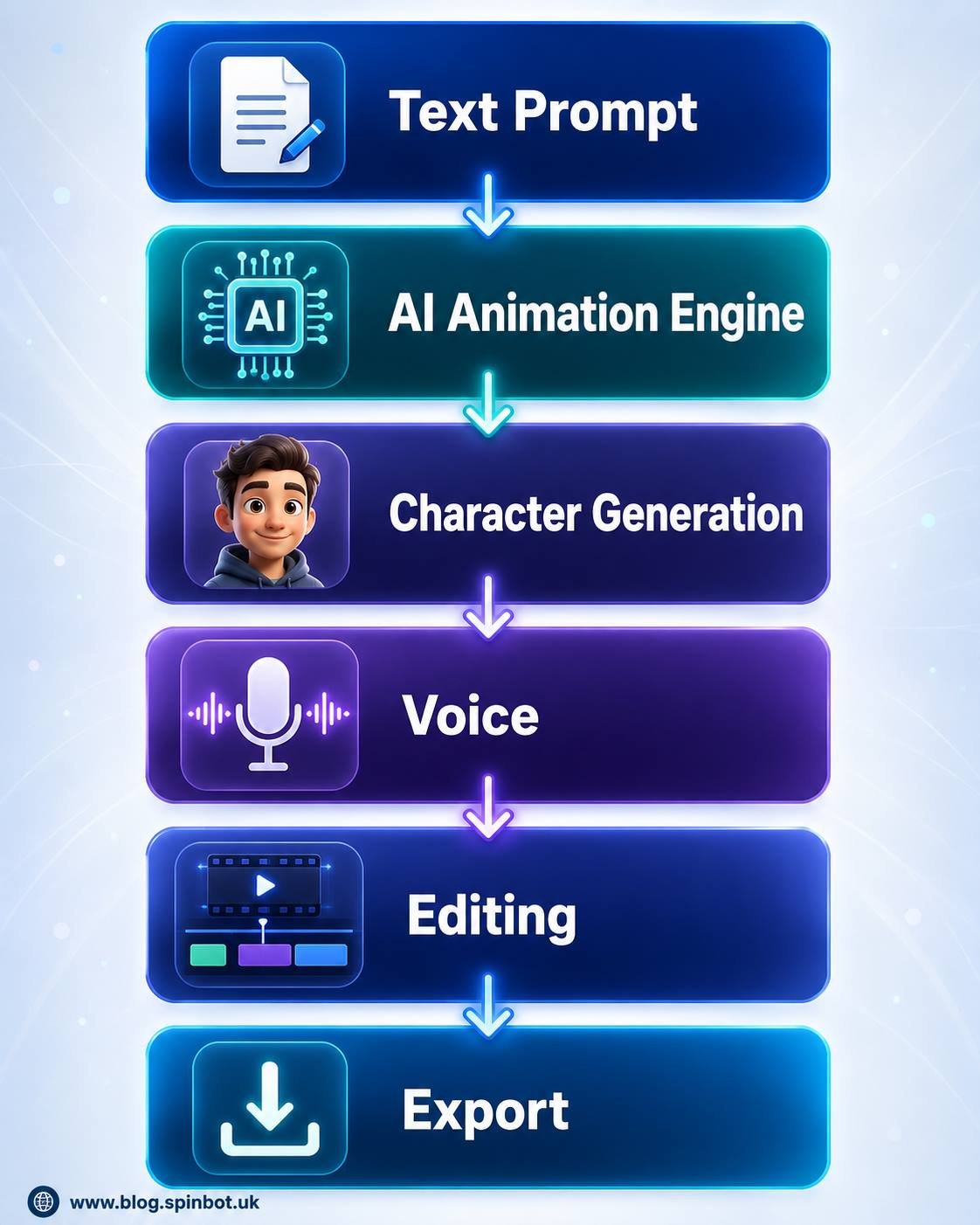
Most AI animation generators follow these steps:
- Enter a text prompt, script, or upload a document.
- The AI analyses your content.
- It creates matching scenes and selects suitable visuals.
- Animated characters are generated automatically.
- Voiceovers and lip-sync are applied.
- Music and transitions are suggested.
- You review and edit the video.
- Export the finished animation.
What previously required several creative professionals can now be completed by a single person in under an hour.
What Should You Look for Before Choosing an AI Animation Tool?
Not every platform is designed for the same audience. Some focus on social media, while others specialise in corporate presentations or educational content.
Before subscribing, consider these factors.
AI Quality
The best tools create smooth movements, realistic lip-sync, and natural transitions rather than robotic animations.
Ease of Use
A beginner-friendly interface often saves more time than dozens of advanced features.
Export Options
Check whether videos can be downloaded in Full HD or 4K and whether commercial use is included.
Voice Generation
Many AI tools now include realistic voices in multiple languages, removing the need for separate narration software.
Templates
Large template libraries speed up production, especially for marketing videos and YouTube content.
Pricing
Free plans are excellent for testing, but paid subscriptions generally unlock premium assets, higher-quality exports, longer videos, and faster rendering.
Are AI Animation Videos Good Enough for Professional Work?
In many cases, yes.
Marketing agencies, educators, SaaS companies, and online businesses now rely heavily on AI-generated animations because they dramatically reduce production costs while maintaining consistent quality.
Professional uses include:
- Product launches
- Company training
- Online courses
- Explainer videos
- Client presentations
- Digital advertising
- YouTube automation
- Social media campaigns
Even industries outside technology have started adopting AI animation. For example, HR departments can transform written payroll guides into animated tutorials explaining employee services such as Pifra salary slip, making complex information much easier for staff to understand.
The biggest advantage isn’t that AI replaces creativity. Instead, it removes repetitive production tasks so creators can focus on storytelling and communication.
What Are the Current Limitations?
Despite impressive progress, AI animation still has some weaknesses.
Highly emotional character performances, detailed cinematic storytelling, and complex action sequences often require manual editing.
You may also encounter:
- Limited character customisation on free plans
- Watermarked exports
- Rendering queues during busy periods
- Generic-looking templates
- Subscription costs for premium assets
- Internet dependency for cloud-based platforms
Fortunately, these limitations continue shrinking as AI models improve.
Creators who combine AI automation with light manual editing usually achieve the best overall results.
Rather than replacing traditional animation, AI has become a powerful creative assistant. Whether you’re producing educational lessons, business presentations, YouTube videos, or social media content, today’s AI animation generators make professional-quality animation faster, more affordable, and accessible to almost everyone.

Emily is a skilled content strategist and writer with a passion for digital marketing and SEO trends. A Leeds alumna, she brings her expertise in media communication to Spinbot UK Blog, crafting engaging content that drives traffic and enhances user engagement.